

-
Tweets46
-
Followers29
-
Following1
-
Likes86
Working on Glass just got a lot faster. Every check we run on a change now finishes faster and uses far less memory !

In the next version of @Glassappdotdev Notifications are getting a big revamp !
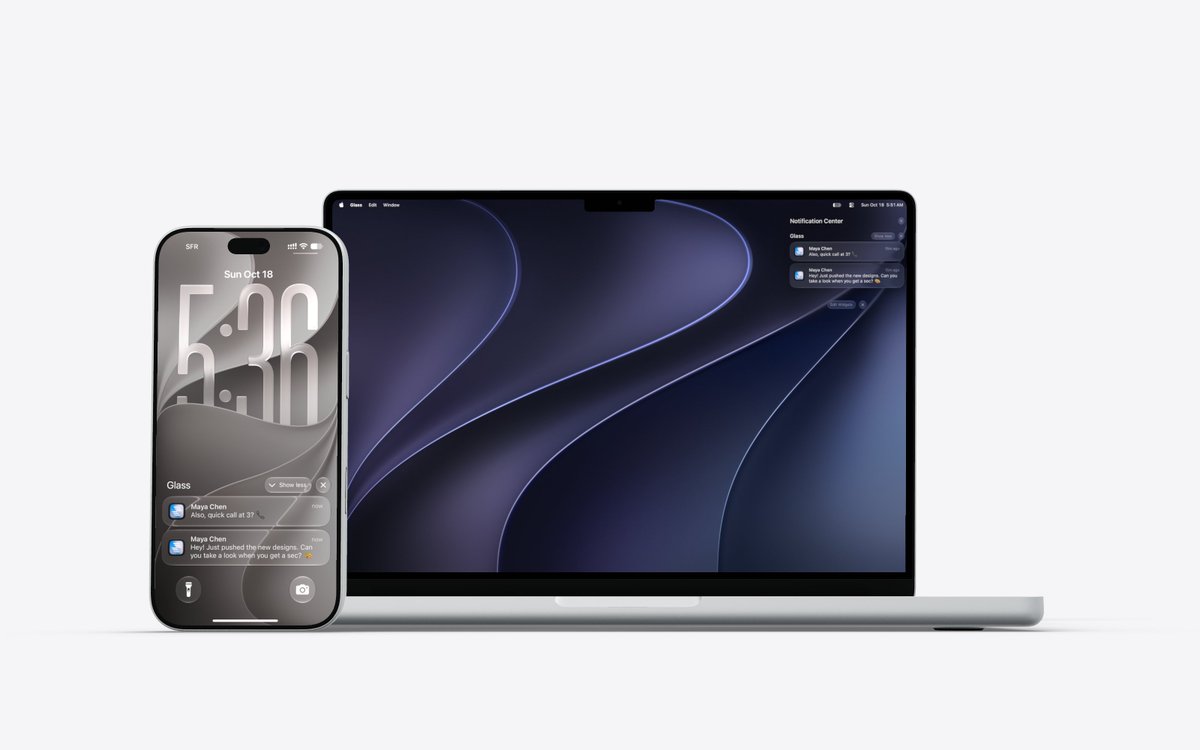
In the next version of Glass, you will receive notifications when someone messages you, asks to connect or invites you to an organization, on your phone, in your browser and on your computer. You can configure your notification preferences in the settings.

Next version of Glass is coming along pretty nice -> Use both Claude and Codex through your own subscription + BYOK -> The chat is getting a MAJOR overhaul on web/desktop and mobile, many features are getting added (more on that soon) -> Improved notifications (e.g receive notifications for friend/team invites etc.) and cleaner settings -> Big performance improvements to iOS and Android (e.g app opens 16% faster on iOS and 2× faster on Android) -> Connecting devices (computers) gets easier and more reliable -> A lot of bug fixes -> A lot of UI/UX polish
Insane that on the Windows Electron app i have Liquid Glass 👀 Coming soon to a Glass app near you...

In the next version of Glass, you will receive notifications when someone messages you, asks to connect or invites you to an organization, on your phone, in your browser and on your computer. You can configure your notification preferences in the settings.
Liquid Glass in Glass, part five: notifications.


Liquid Glass in Glass, part three: the command palette.

Liquid Glass in Glass, part two: switches. Every toggle is now a Liquid Glass switch.


In the next version of Glass for iOS and Android: • The app opens 16% faster on iOS and 2× faster on Android • On iOS, chats with images reopen 2.3× faster • On iOS, images load 32% faster after a restart, with nothing re-downloaded

A small cleanup coming in the next Glass mobile update: we’re replacing the three-dot menu with a long press. Fewer buttons and a cleaner chat.
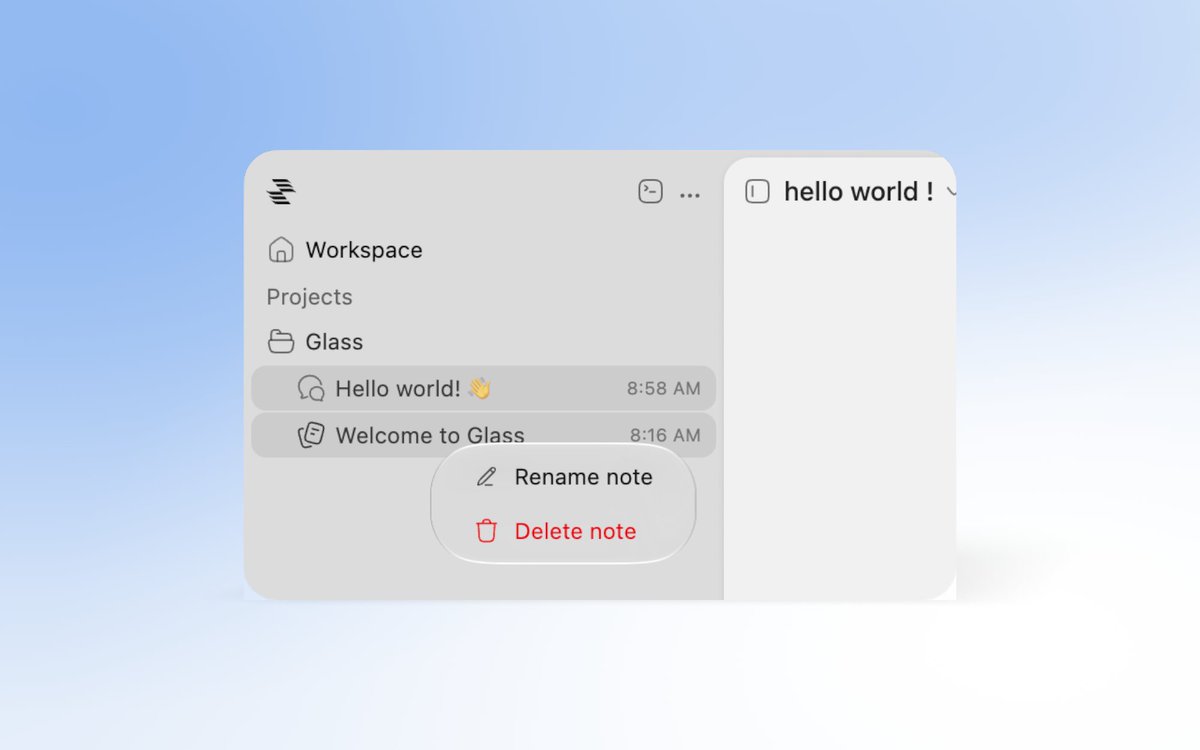
Liquid Glass is coming to Glass, one screen at a time. First up: every menu and dropdown. More soon.


Notifications for Glass are available everywhere, web, mobile, desktop. Download the app here -> glassapp.dev/download
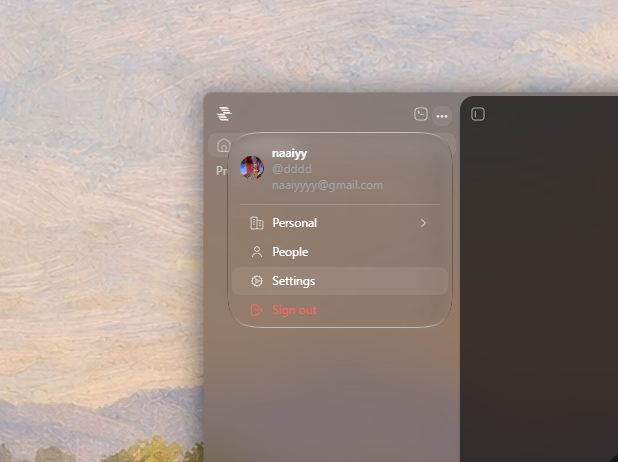
If you prefer a solid window, you can turn off "Transparent window" in Settings → Appearance.
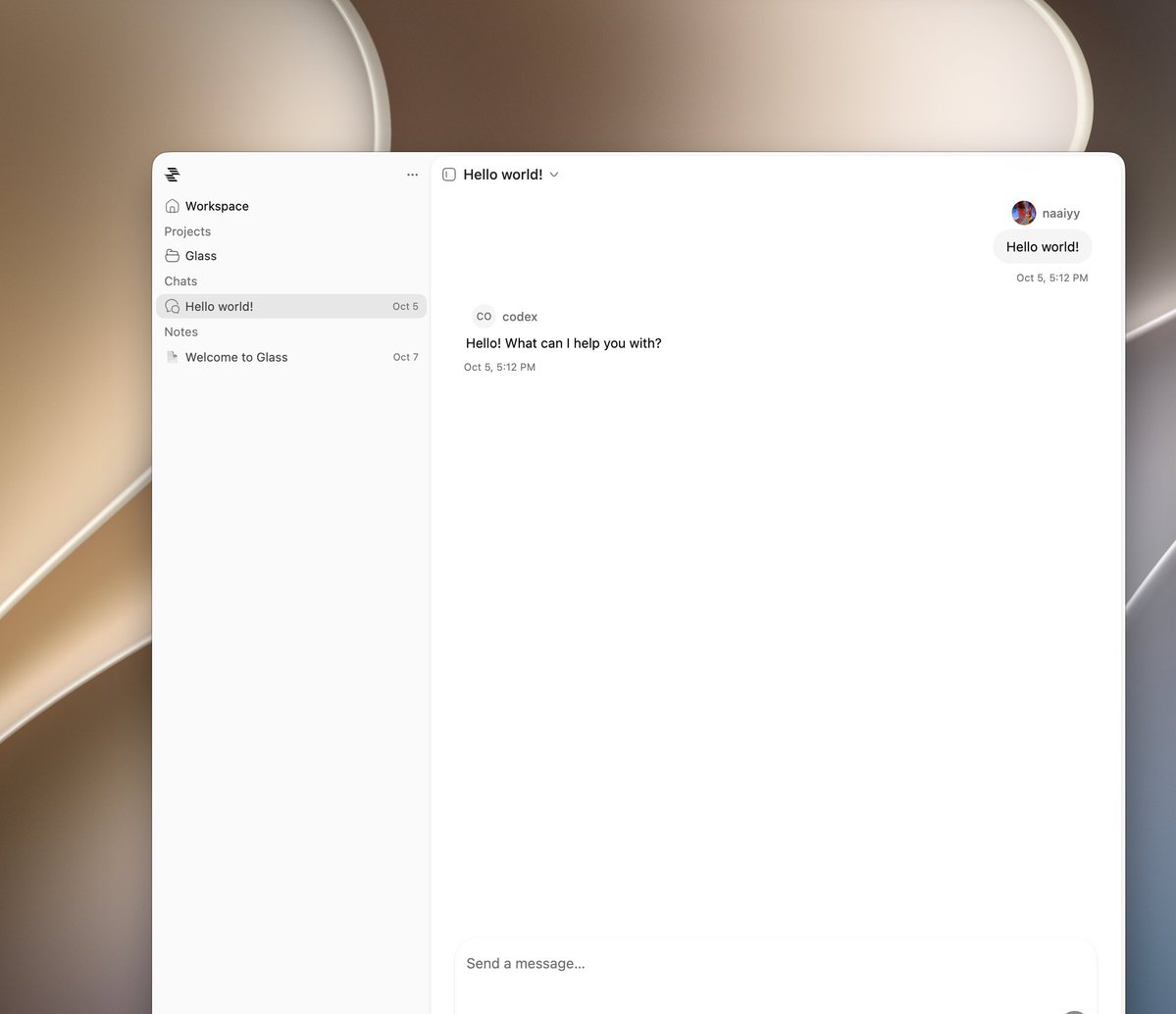

Light or Dark ?


In case you missed it: Glass has a file tree. Open it anywhere in the app, in a chat, a note, or your workspace, and your project's files are right there, updating live as your agents work. Built on the file tree from @pierrecomputer.


Building Glass with Glass. Small detail: the icon changes with the channel. Development, Nightly and Production each have their own, everywhere the app shows up.


I want to go deeper into what @Glassappdotdev is today and where it's going. Glass is one app for your work, the people you work with, and AI agents. It runs on: → Web → iOS and Android → macOS, Windows and Linux What you can do today → Chat: add friends and message them like you would in any messaging app. → Notes: write in a block editor, then share your notes and edit them together with friends. → Agents: start work with an agent from any device. → Connected devices: connecting a computer gives your agents access to its files, with more abilities coming soon. Sign in to the same account on your computer and your phone, and they connect on their own. You don't have to set anything up. → Cloud computers: run an agent on a cloud computer, then close your laptop. The work keeps going without your machine staying awake. → Teams: create an organization, invite your teammates, and set their roles in settings. There are two ways to run an agent: → Glass Cloud, with your free credits, or Plus if you need more usage → Your own computer, using the ChatGPT subscription you already pay for What's coming → A built-in browser → Documents: import, view and edit PDF, Word, PowerPoint and Excel files. Markdown and plain text already work. → Mail: connect any email account to read, send and organize your inbox → Calls: audio and video calls with friends and teammates → Canvas: design on an infinite canvas, bring in your codebase, and see every screen of your app while you work on it More agents are coming too: → Claude → Gemini → Grok → Muse → ACP agents One last thing: Glass is in alpha and very early. Expect rough edges and breaking changes. If you try it, I'd love to hear what you think.
Glass Studio is coming soon...


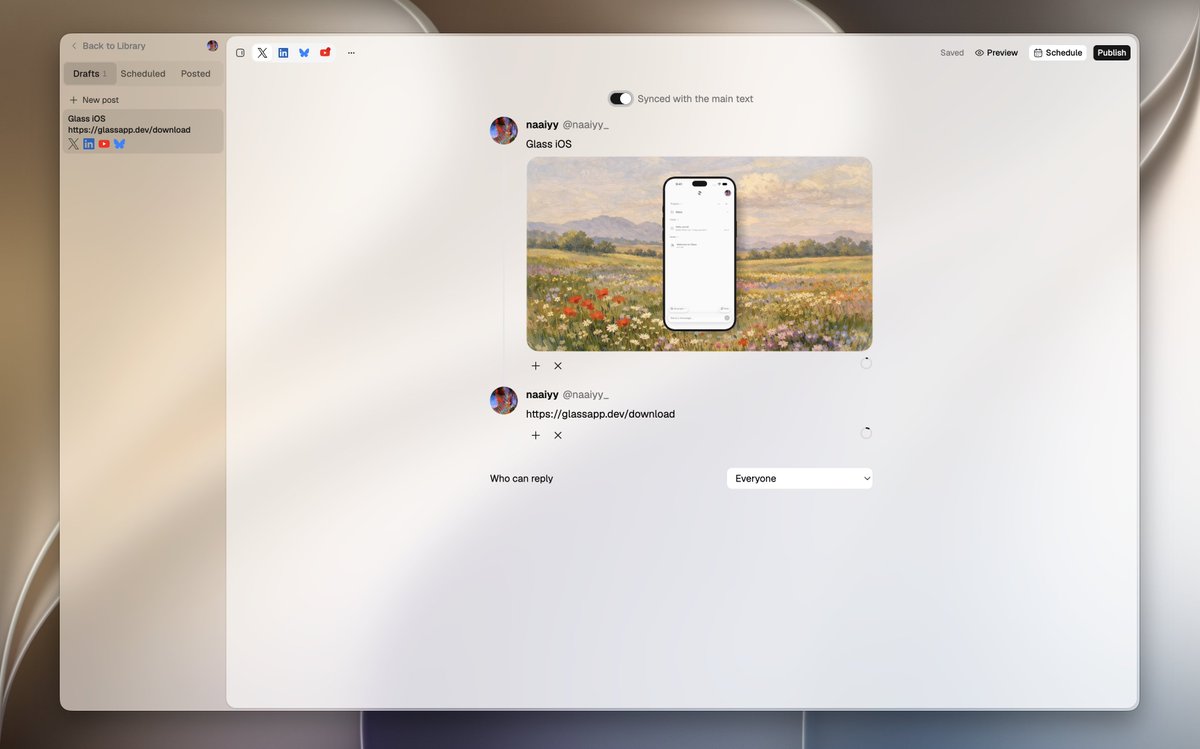
Update Glass to the new version 🙏 glassapp.dev/download
Glass is back. Sorry for the downtime. Here’s how to update to the new version: On the web, just reload. On desktop, download the new version from glassapp.dev/download. On mobile, the new version is on its way through TestFlight and Google Play, update when it’s here (or do


🐐🕊️ @EricGoatingpriv
19 Followers 2K Following Based in Porto | 🇱🇦 Nr. 1 Kane hater | Aura enjoyer | Ocon redemption Arc
Dmitriy Borodiy @dev_dmitriy
803 Followers 618 Following .NET developer with 4+ years of experience building and supporting desktop and cross-platform applications (UWP, WPF, WinUI, Xamarin.Forms, MAUI).
Dr. Richthofen @xRichthofen
102 Followers 61 Following Daily SPY & QQQ Implied Impulse Range I call out moves before they happen
simplicity @simp4eloquence
5K Followers 6K Following
Alexi | raycast fan �... @alexi_build
1K Followers 3K Following Hyping @raycast (as an ambassador) • Writing https://t.co/8b757BJauO • Building ███████████ (coming soon) • A.I. (ALL-IN) Engineer
Hassan @hssnmrza
258 Followers 3K Following
Robin Huse @robinhuse
857 Followers 2K Following Founder and Designer. Building AI architecture at Abrum.
M.O.A.T @DalliMoat
8 Followers 493 Following
Matt Hamlin @immatthamlin
1K Followers 1K Following Building things on the web. Currently @HubSpot, formerly @fireworksAI_HQ, @wayfair, @rpi alum.
keejkrej @keejkrej
39 Followers 998 Following vibe physicist interested in image analysis tooling, llm stochastic modeling and protein design

squidlee @squidllee
30 Followers 146 Following just some high school kid trynna help people by making useful and cool things 🙃 Side projects: https://t.co/zyZum5o5bd
熙诺-sudo @doktrinaai
18 Followers 596 Following


Cam Pak @CameronPak
2K Followers 5K Following I play the keys so I can write the codes. Creating https://t.co/6WuNyykIJs and https://t.co/RPV1vhN9oP. Contracting for YouVersion through https://t.co/IFaF7zGdPI
Marcus Plush @MarcusPlush2402
2 Followers 131 Following
André Pinto @aPinix
252 Followers 2K Following LEAD + CODE + DESIGN + PRODUCT ∙ VP of Front-End & Engineering Leader | 2x Founder | Front-End Architect | Product Development & Developer Experience
Tarun @tarrruunnnn
236 Followers 334 Following I make things, break things, and make things that break things.

Yashjit @yashjitp
93 Followers 250 Following
갯벌숭원숭이 @g0munamu
8 Followers 240 Following

Rufus Immanuel Raj P @rufus582
2 Followers 204 Following
Shawn McAllister @eas4ai
1K Followers 3K Following Building Suprnova - A Laravel-inspired full-stack framework for Rust Open source · Docs & starters at https://t.co/0nUgjWZ5dM
Dominic @domjnieto27
362 Followers 6K Following
Houssam ⚙️✨ @houssampedro
98 Followers 1K Following
naaiyy @naaiyy_
596 Followers 2K Following Building | https://t.co/oBkoddH2ol & https://t.co/DKOc34tKrp Naaiyy Studios | https://t.co/YoKFh6ajoG & https://t.co/eIGGwYoO5c
naaiyy @naaiyy_
596 Followers 2K Following Building | https://t.co/oBkoddH2ol & https://t.co/DKOc34tKrp Naaiyy Studios | https://t.co/YoKFh6ajoG & https://t.co/eIGGwYoO5cTrends for United States
You might like


















